IT IS STRONGLY RECOMMENDED TO BACKUP YOUR MISSION FOLDER BEFORE MODIFYING ANY FILES INSIDE!!!
1) Run your ArmA 2 OA with expansion beta and following mods:
@ASG;@Jon_EditorUpdate.
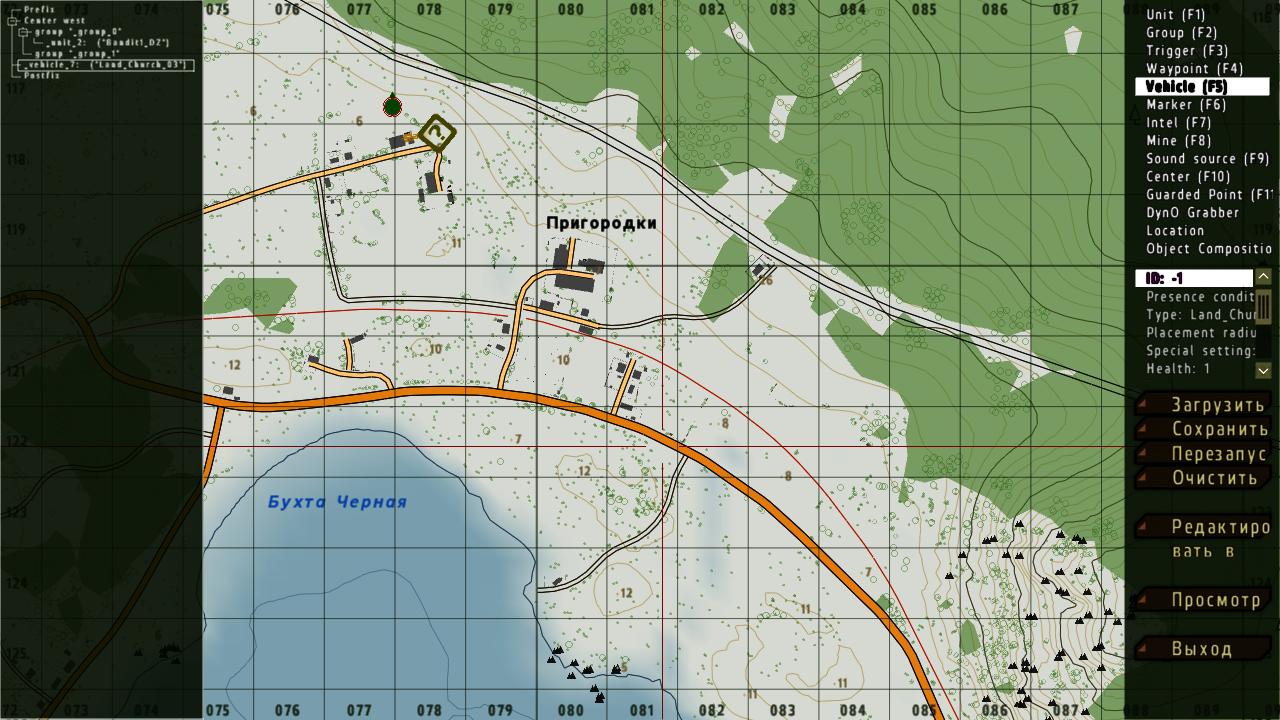
2) In the main menu press ALT+E. Select Chernarus (or whatever you want). Editor will open.
3) Select the "Center" option in the top right corner. Double-click somewhere on the map, and press OK.
4) Select the "Group" option in the top right corner. Double-click somewhere on the map, and press OK.
5) Select the "Unit" option in the top right corner. Double-click the map near the place you want to build something. Press OK.
6) Now select the "Vehicle" option. Switch to the 3D editor mode. Double-click the place you want to put selected object on.
7) Select type:"EMPTY", and choose one of classes starting with "#" or "[AS]" (could be buildings, walls etc.)
8) Put all the objects you want. Remove Unit you've added at the begin, and save your mission. Quit the game.
8) Open your Documents/ARMA 2 (sometimes ARMA 2 Other Profiles) folder. Find "missions" folder there. Open it.
9) Find your saved mission folder. It will look like "MY_MISSION.Chernarus". Open it.
10) Open
biedi2sqm converter. Upload your file and copy the "Vehicle" class (or just download generated mission.sqm file as an option).
11) Paste the "Vehicle" class to your mission.sqm file in your mp mission folder. (or copy a downloaded mission there).
12) Enjoy your new buildings!